A colleague of mine wants to build a docs MCP server for his company’s product documentation. I’ve built several of these, for Zerto, HPE Morpheus, OpsRamp and ProLiant, so we talked through how to get it approved, since he isn’t as crazy as me and just runs them for free. My advice was to pitch the cost savings. Whoever signs off is going to ask “Claude can already search the web, why build a server at all?”, and “because the answers are better” is hard to put in a budget line.
Then I realized I’d never actually measured the savings. So, I had Claude write a test harness that asks the same Zerto questions two ways and records what Anthropic bills for each one.
Disclaimers up front
Personal side project. The Zerto docs MCP server isn’t a Zerto or HPE product, isn’t supported by either, and isn’t endorsed by my employer. It indexes publicly available documentation. Prices are Anthropic’s list prices for Claude Sonnet 5.5 as of November 2026. This is a small sample, three questions per arm, and I’ll say exactly where that matters.
The two arms
Both arms use the same model (Claude Sonnet 5.5), the same system prompt (“You are a support engineer answering questions about HPE Zerto… name the doc page(s) you relied on”), and the same 2,048-token answer limit. Each arm has its own API key, so the Anthropic Console splits the bill the same way the harness does.
- Web arm: Claude’s built-in
web_searchandweb_fetchtools, open web, up to 5 uses of each per question. Anthropic runs the searches on their side and charges $10 per 1,000 searches on top of tokens. Every page Claude fetches goes into the context as input tokens. - MCP arm: Claude with my Zerto docs MCP server attached through the API’s MCP connector. The server has
search_docs,get_page,list_versions, an interop-matrix check and a few others. The docs are split into chunks of up to 2,400 characters, about 600 tokens each, and indexed for keyword and semantic search. There’s no per-call fee; the only cost on Anthropic’s side is tokens.
Prompt caching was off in both arms, so this is the uncached price.
The result
| Web search + fetch | Docs MCP | |
|---|---|---|
| Cost per question | $0.248 | $0.088 |
| Input tokens per question | 98,479 | 40,036 |
| Output tokens per question | 1,468 | 823 |
| Tool results sent to the model | 74K to 95K characters | 12K to 20K characters |
| Search fees (3 questions) | $0.11 | $0 |
| Average time | 21.4 s | 14.6 s |
The web arm cost 2.81 times as much per question. At 10,000 questions, the harness projects $2,483 for web search against $883 for the MCP server.
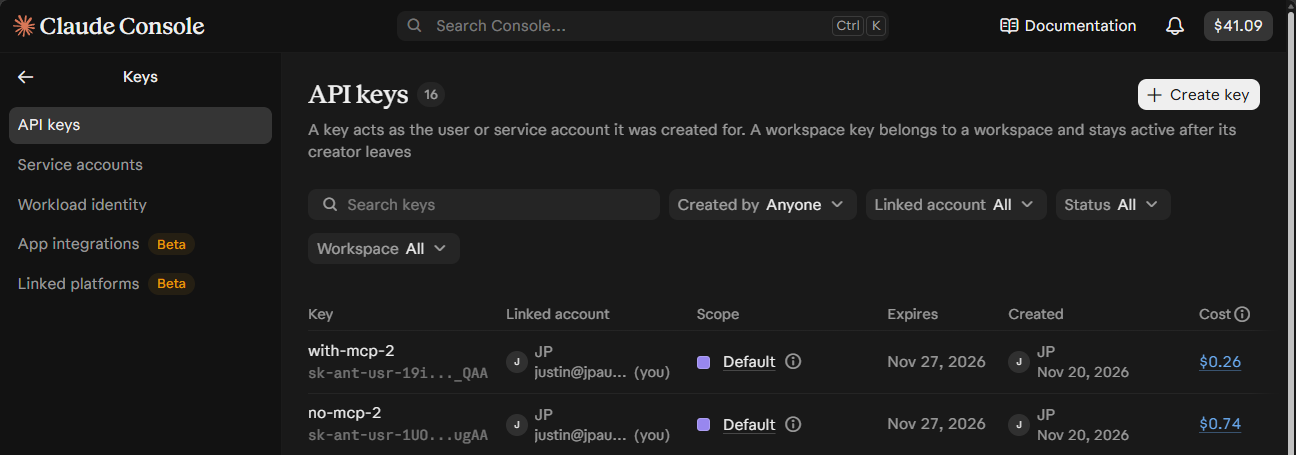
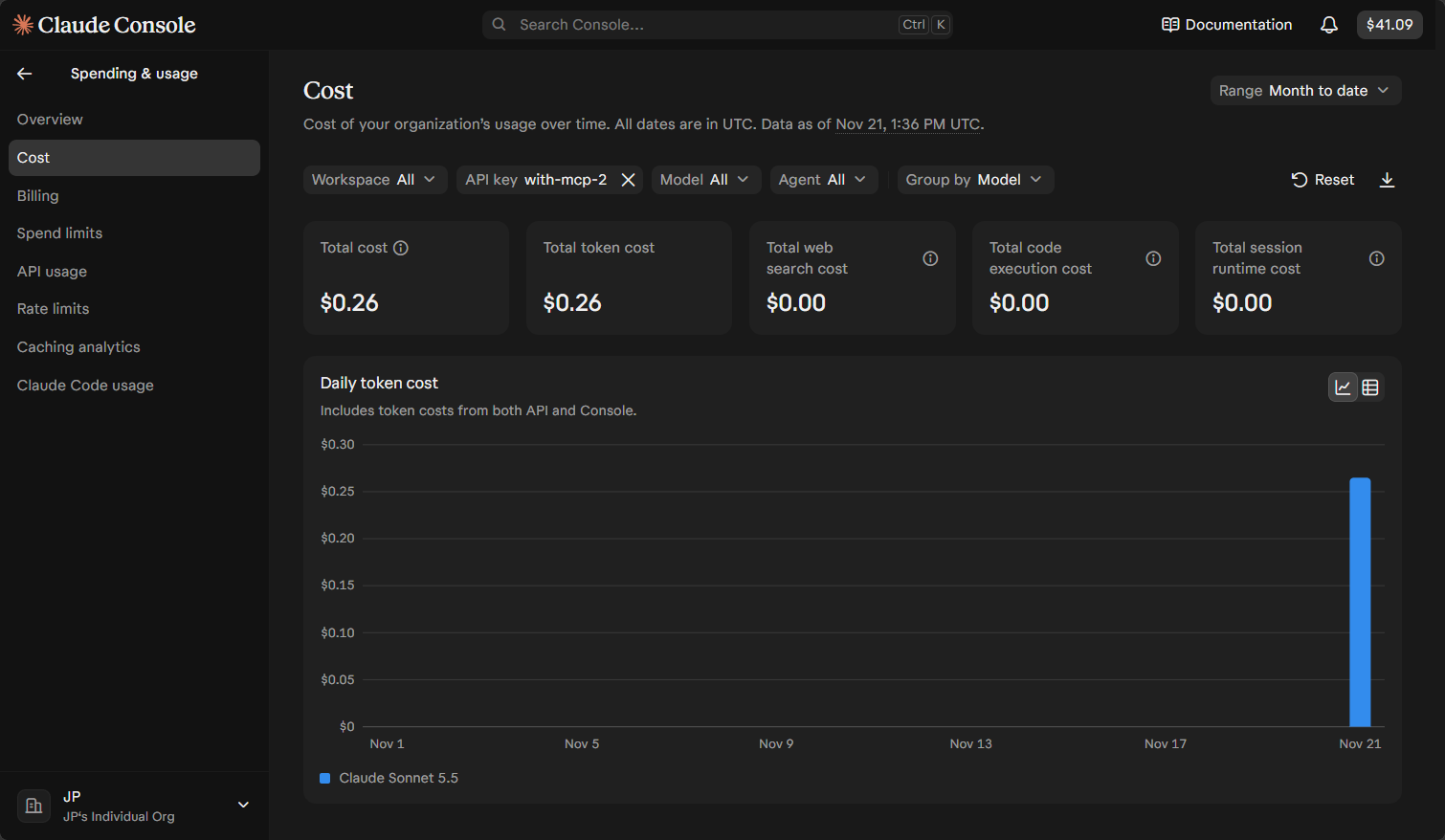
I didn’t want to trust the harness’s own math, so I checked the Claude Console. Because each arm ran on its own API key, the Console shows the bill per arm: $0.74 on the web-search key and $0.26 on the MCP key. The harness had $0.7449 and $0.2649. Same numbers, to the cent.
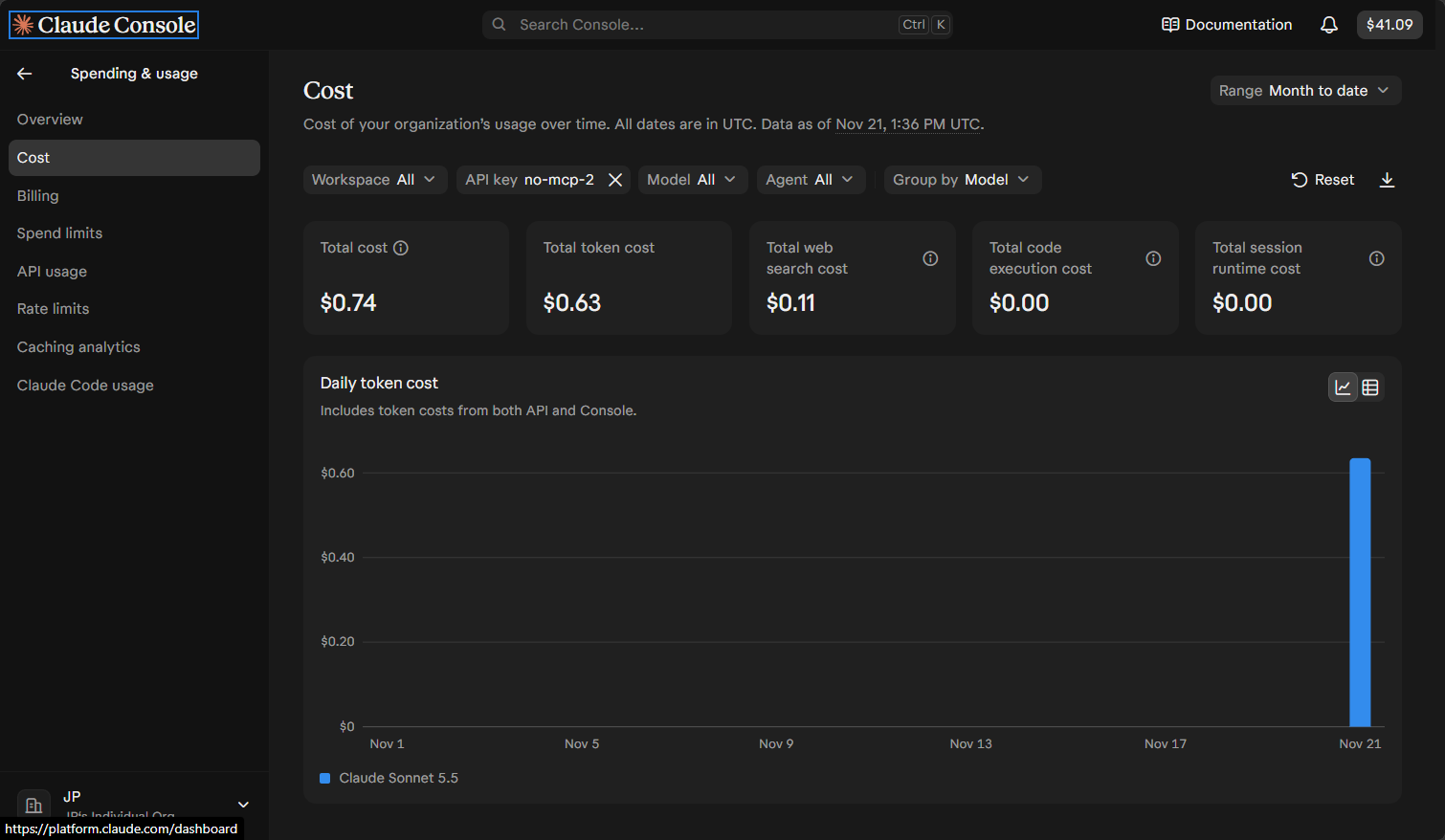
The Console also splits the web arm’s bill: $0.63 in tokens and $0.11 in web search fees. The MCP arm is $0.26 in tokens and nothing else.
The search fee isn’t where the money goes. Eleven searches cost $0.11 out of $0.74. The money goes to what comes back. A web search result is a stack of page excerpts; a web fetch is an entire page, navigation and all. Claude read 74,000 to 95,000 characters of that per question. The MCP server returned 12,000 to 20,000 characters, because a search returns a few 2,400-character chunks of the page that matched and nothing else.
The web arm couldn’t read the official docs
This is the part I didn’t expect. help.zerto.com is a JavaScript application. When Claude’s web fetch pulled a page, it got the empty shell: no content, just the frame the browser fills in later. Claude said so in two of the three web answers:
> “I couldn’t open the official ‘Upgrading the ZVM Appliance’ page. The Zerto portal only returned an empty shell when I fetched it.”
So the web arm answered from whatever else it could find. The ZVM appliance sizing (6 vCPU, 16 GB RAM with 8 GB reserved, 180 GB disk) came from an Expedient KB page and an eGroup blog. The upgrade steps came partly from a Polish community blog. The ZVM-to-vCenter port answer came from a copy of the Zerto hardening guide hosted on an IBM Cloud site, plus the Hyper-V version of the ports page. To its credit, Claude labelled every one of those as third-party and unverified.
The MCP arm gave the same 6 vCPU / 16 GB / 180 GB answer, but from the 10.9 System Requirements page. It also included the parts the third-party pages left out: the 50 sequential IOPS minimum for etcd, the AVX requirement, and the extra 20 GB on /opt for 10.0 U1 through U3. Its port answer cited the vSphere firewall ports page directly.
So the web arm cost 2.8 times more and answered from secondhand sources. If the vendor’s docs site is a JavaScript app, the web tools can find that the page exists but can’t read it.
Where this sample is thin
Three questions per arm is a smoke test, not a study. The three were a firewall-ports lookup, a sizing lookup and an upgrade procedure, all things that live on specific doc pages. Troubleshooting questions, where the answer is in a KB article or a forum thread, could narrow the gap or flip it. The harness already has 20 questions covering VMware and Hyper-V, plus a two-repeat mode. That full run is next.
Other things I’d change:
- Caching on. Both arms ran uncached. Real deployments should cache the system prompt and tool definitions, which helps the MCP arm more, since its tool schemas are sent on every call.
- Allowlist the MCP tools. The MCP arm sent every tool schema on the server with every request. Allowing only
search_docsandget_pagewould cut input tokens further. - Restrict the web arm to help.zerto.com. That would show what web search costs when it can’t fall back to third-party pages.
What I’m telling my colleague
Building the MCP server isn’t free: a scraper, an index, a box to run it on, and someone to notice when it breaks are real costs. For me all of that runs on home lab gear I already have. GPUs I already owned did the embedding of corpus data and reranking every time some searches.
On a per-question basis, though, it’s the cheaper way to answer docs questions on Claude’s API. Claude reads 40,000 tokens instead of 98,000, pays no search fees, finishes faster and cites the vendor’s own page instead of someone’s blog.
So my advice holds, with two additions. Pitch the savings, but run this kind of test on your own docs first, because the ratio depends on how big and how readable your pages are. And budget for keeping the server healthy, because the savings only exist while it’s up and answering.
If you’re building a docs MCP server for your own company, I’d like to hear how your numbers come out, especially if your docs are plain HTML that web fetch can actually read.