First off, I think I just coined a phrase! YaMCP, “Yet Another MCP” … Is anyone else using that yet? LOL
There are a couple of used HPE servers in my homelab: a DL385p Gen8 and, newest, an ML350 Gen10. Every time I want to change something in one of them, I end up in the same place. Four browser tabs deep in QuickSpecs, a product information reference, a user guide and an old forum thread, trying to answer one question: will this part work in this box?
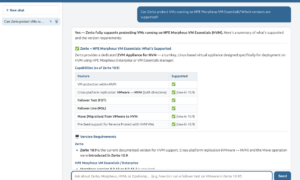
I got tired of doing that. So I had Claude build an HPE ProLiant docs MCP server. to add to my ever growing fleet of MCPs. 🙂 It’s the same idea as my Zerto Docs MCP server: you ask Claude (or Copilot, or Cursor) a question, and it answers from the actual HPE documentation, with links back to the pages it used.
Disclaimer up front
This is a personal side project. It’s not an HPE product, it’s not supported by HPE, and it’s not endorsed by my employer. Everything in it comes from publicly available documentation on support.hpe.com and HPE’s Redfish developer portal, the same pages anyone can read in a browser. It can be wrong. Check the source page it links to before you buy parts or flash firmware, and don’t test anything on a production box first.
What’s in it
The corpus is 97,646 pages from 1,054 HPE documents, covering 122 ProLiant models from Gen8 through Gen13: DL, ML, BL, SL, XL, RL, EL and the MicroServers. That breaks down to:
- User guides, maintenance and service guides, parts guides and QuickSpecs for each model.
- iLO 4, 5, 6 and 7 user guides, scripting guides and release notes.
- Service Pack for ProLiant (SPP) release notes and component notes, UEFI, Intelligent Provisioning and Smart Update Manager docs. That’s 9,881 pages of release notes on their own.
- The iLO Redfish API reference for iLO 5 through 8 (1,347 pages), plus the iLOrest and Redfish how-to guides.
- 906 HPE knowledge articles: the how-to, troubleshooting and “why is my fan at 100%” stuff.
It re-scrapes every Monday and only rebuilds when HPE actually changed something.
The server gives your AI client six tools:
search_docs: hybrid search (keyword plus semantic) with a reranker, scoped automatically when you name a model or generation. “DL380 Gen10 fan error” only searches DL380 Gen10 docs, iLO 5 and the shared tools.get_page: pulls a whole page when a search snippet isn’t enough, like a full removal procedure or a Redfish property table.model_specs: for build and upgrade questions, it finds the pages for one model’s processors, memory speed rules, storage, networking, expansion, power and iLO.check_support: a yes or no on whether a part appears in a model’s spec documents, with the actual table rows as proof.firmware_notes: the newest (or a specific) iLO, SPP or UEFI release, with its fixes, known issues and upgrade prerequisites.list_versions: everything that’s in the corpus, so the model can pick filters.
The fun question: Spec out the Ultimate Homelab DL380?
I gave it a DL380 with two Xeon E5-2630 v4 chips, no generation, and asked what would turn it into the ultimate homelab server. Here’s the top of what came back:
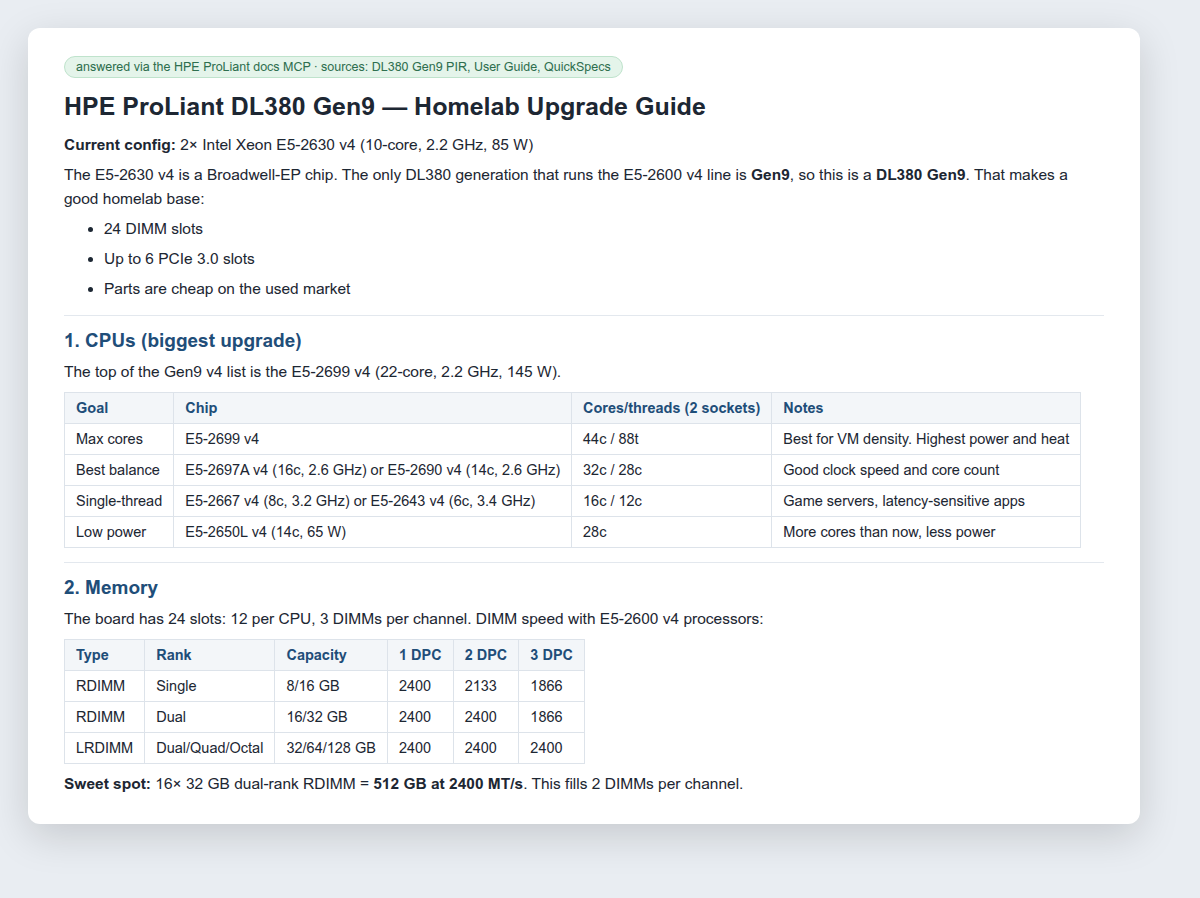
The first thing it did was work out which server I had. The E5-2600 v4 family only ever shipped in the Gen9 DL380, so it scoped everything to the DL380 Gen9 docs. From there:
- CPUs. It pulled the full Gen9 v4 processor list and grouped it by what you care about: the E5-2699 v4 (22 cores, 145 W) for VM density, the E5-2697A v4 or E5-2690 v4 for balance, the E5-2667 v4 or E5-2643 v4 for single-thread speed, and the E5-2650L v4 (14 cores, 65 W) if the power bill matters.
- Memory. This is the part that impressed me. It found the DIMM speed table for E5-2600 v4 processors. Single-rank RDIMMs drop from 2400 to 2133 MT/s at two DIMMs per channel, while dual-rank RDIMMs hold 2400 until the third DIMM. So the sweet spot it recommended is 16 × 32 GB dual-rank RDIMMs: 512 GB that still runs at full speed.
- Networking, power and GPUs, with part numbers: the 640FLR-SFP28 FlexibleLOM (817749-B21), 800 W Flex Slot Platinum supplies (720479-B21), and the GPU enablement kit (719082-B21) if you ever want a double-wide card.
I didn’t take its word for any of that. I ran all 19 part numbers and CPU models from the answer through check_support against the DL380 Gen9 docs, and every one of them is real and listed for that server.
A few lines in the answer don’t come from HPE’s docs: putting the P440ar in HBA mode for ZFS, booting third-party NVMe on Gen9 being unreliable, and checking for PCIe bifurcation support before you buy a multi-drive NVMe card. Those are standard homelab advice, and they’re probably right, but they’re the model talking, not HPE documentation. The sources listed at the bottom of the answer only cover the doc-backed parts, which is how you tell them apart.
Will a Tesla V100 fit in my ML350 Gen10?
This one I asked for real, because my ML350 Gen10 has empty PCIe slots and I was eyeing four used Tesla V100s for it. A normal search can’t really answer it. Searching for “V100” happily returns pages about the Quadro GV100, which is a different card. So check_support does an exact, whole-word match against that model’s spec documents:
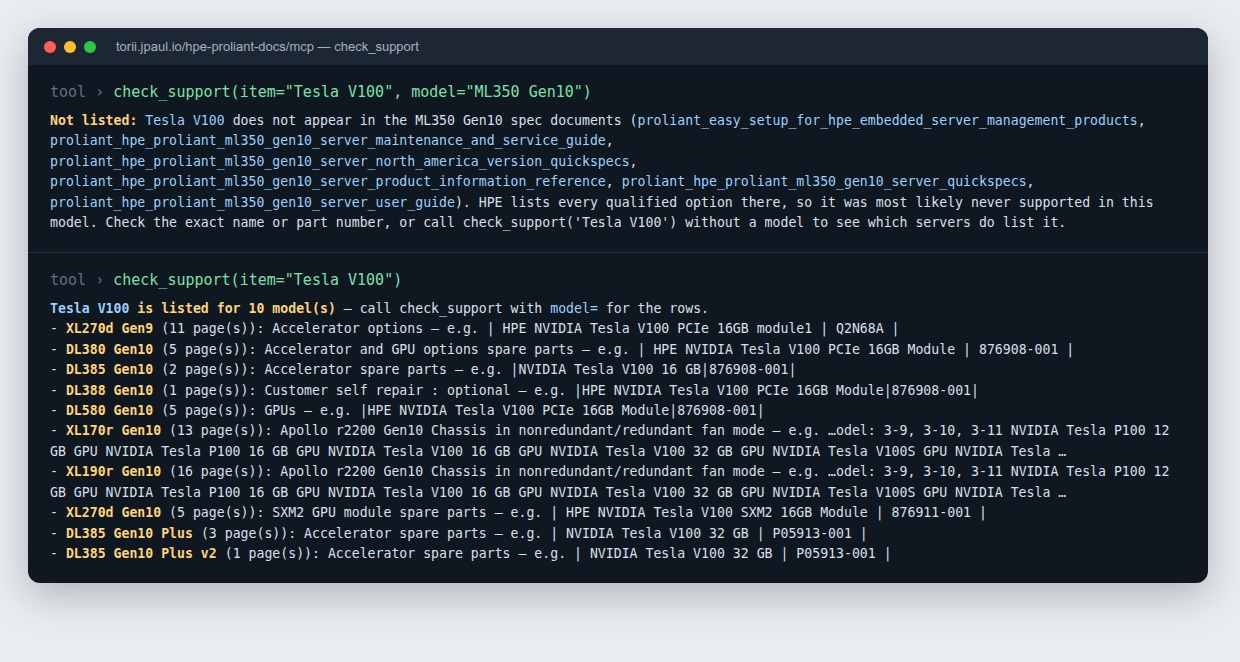
The Tesla V100 isn’t listed anywhere in the ML350 Gen10 docs. The closest supported card is the Quadro GV100, at three per box, and every high-power GPU in that server needs the redundant fan cage kit (874572-B21) and the GPU power cable kit (877628-B21). Ask without a model, and it lists the 10 servers that do support the V100, starting with the DL380 Gen10 and the DL580 Gen10.
So no V100s for the ML350. I’m glad I found that out before i hit eBay.
Things that already broke
I’ll be honest, this one fought back more than the Zerto server did.
Git couldn’t handle the corpus. The first version kept all 97,646 pages in the git repo, which came to about 195,000 files once you count the metadata. Every weekly refresh commit made it worse. Merging a pull request on my Gitea server got to the point where it took about 40 minutes, pinned at 100% of a CPU core, because a squash merge has to walk the entire file tree. The fix was to pull the corpus out of git entirely. It now lives as a versioned tarball in Gitea’s package registry, and git only holds a small lock file with the version and a checksum. The next merge took 0.65 seconds.
The MCP lost to plain Claude. I asked Claude to spec out the ultimate homelab DL385p Gen8, once with the MCP and once without. The version without it gave better CPU and memory advice. It walked through four Opteron options and talked about memory channels. The MCP version picked the fastest chip, contradicted itself on maximum memory, and never found the table that shows memory dropping to 1066 MHz or lower once you fill all 24 slots. When I dug in, one FAQ page had taken 4 of the top 10 search slots, and my exact question, asked word for word, returned nothing at all because the long conversational wording scored too low. That’s where model_specs and check_support came from, along with a cap of two snippets per page. That question now comes back with the processor list and the memory speed table on top.
One server was in the wrong generation. The DL360 Gen10 was tagged in my catalog as a DL360 Gen10 Plus, so asking about my own model gave me the wrong QuickSpecs. That was a one-row typo in a table of HPE document IDs, and Claude wrote that table. It was also Claude that tracked it down, after a test run showed DL325 Gen10 QuickSpecs answering a DL360 Gen10 question.
The whole thing is pair-programmed with Claude Code: the scraper, the search, the CI, and the fixes above. It’s fast. It also wrote the bug in that third one.
How to connect it
It’s public, with no account or API key needed. It sits behind torii, my MCP gateway, which rate-limits per IP address. The URL is:
https://torii.jpaul.io/hpe-proliant-docs/mcp- Claude (web or desktop): Settings → Connectors → Add custom connector, then paste the URL. Start a new chat afterward so it loads the tools.
- Claude Code:
claude mcp add --transport http proliant-docs https://torii.jpaul.io/hpe-proliant-docs/mcp - Copilot, Cursor and others: the setup steps are in the original Zerto Docs MCP post. Swap in this URL.
Then ask it something about your own hardware. A few to try:
- “Which processors does the DL360 Gen9 support, and what’s the fastest one?”
- “What are the known issues in the latest iLO 5 firmware?”
- “Does the ML30 Gen10 support a P408i-p controller?”
- “My DL380 Gen10 shows an IML error about a fan failure. What do I check?”
What’s next
HPE’s security bulletins aren’t in the corpus yet. The release notes link out to the bulletin library instead of listing CVEs, so for now it’ll tell you to go look rather than answer. That’s the next thing I want to add.
If it gives you a wrong answer, or misses a doc you know exists, email me at [email protected] with the question you asked. That’s how I found every problem in that list above. And if you’ve got a used ProLiant and a fun upgrade question, I’d like to hear what it tells you.