
Let me start with the uncomfortable part: the AI is doing its job. You open a chat window, describe what you want, and it hands you back something that runs. That part works. It’s been working for a while now.
So why does building anything real with it still feel like herding cats?
I’ve spent a while watching a lot of smart IT people hit the same wall the moment they try to build actual software with AI. And it’s almost never the model’s fault. The model is fine. What’s failing them is everything around the code.
That gap is what I built a course about. It’s called The Workflow, it’s free, and this post is me telling you it exists and why I think it’s worth your time.
The loop you’re probably in
Here’s the workflow almost everyone starts with, and, I want to be fair here, it works for a while:
- Describe what you want in a chat window.
- The AI gives you code.
- You copy it.
- You paste it into a file.
- You run it.
- Something’s off, so you copy the error back into the chat.
- Go to 2.
For a single file you’re poking at for an afternoon, this is great. I’m not going to tell you to over-engineer a five-line script. But the loop falls apart the second your project grows along either of the two axes every real project grows on: more than one file, and more than one day.
The moment you have a second file, you become the integration layer, hand-merging blobs of text between a chat tab and your disk, hoping you didn’t drop a function in the shuffle. The moment you come back the next day, the AI’s memory of what you decided yesterday is just… gone. And the quiet, dangerous one: when the AI confidently makes a mess (deletes a function you needed, “refactors” something into a subtly broken state), what’s your recovery plan? For most people right now it’s Ctrl-Z until it looks right, or retyping from memory. That’s high-wire work with no net.
None of those three problems are about how smart the model is. A better model writes better code; it still doesn’t give you a record of what changed, a way to undo a mess, or a memory that survives a closed tab. Those come from the engineering scaffolding around the model.
The thesis
Here’s the line the whole course hangs on, and I’ll be honest, it’s the thing I most want you to walk away with even if you never take a single lesson:
> The model is the cheap, swappable part. The workflow around it is the skill that lasts.
Think about how many models you’ve already churned through. The one you’re using today will be replaced, probably by something cheaper and better, and when it is, your prompts mostly carry over and your habits fully carry over. Version-control discipline, the review reflex, a CI pipeline, the instinct to hand an agent a branch instead of your whole repo: none of that depends on which model you run. You learn it once and it pays out across every model you’ll ever touch.
That’s why the course is deliberately model- and vendor-agnostic. I’m not here to sell you on a particular AI. Whichever LLM you use, the scaffolding is the same, and the scaffolding is the part that doesn’t expire.
[insert a screenshot referencing the course README / thesis here]
What’s actually in it
It’s 27 modules plus a capstone, built as a dependency chain, not a topic list. Every module assumes only what the previous ones taught, and nothing references a tool before it’s been introduced. It groups into five units:
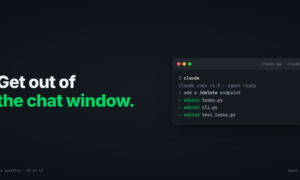
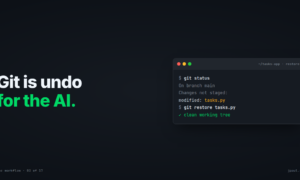
- Unit 1, Get out of the chat window. The local foundation: version control as undo for the AI, getting the AI editing real files safely, and committing the AI’s config so your setup is a durable artifact.
- Unit 2, Make it shareable, reviewable, recoverable. The team layer: hosting and remotes, issues, reviewing code you didn’t write (one of the most important and least-taught skills in this whole space), collaboration, and recovery when it goes wrong.
- Unit 3, Automate the checking and shipping. The pipeline: testing, CI, security scanning for AI-generated code, containers, secrets, delivery, and the runners underneath it all.
- Unit 4, Extend the AI into your systems. The frontier: MCP servers, skills, securing the third-party ones, and pointing AI at a big codebase you didn’t write.
- Unit 5, AI in the loop. Agents operating inside the pipeline, from assistive (it helps, you decide) to autonomous (it acts, supervised), plus the evals that make trusting them possible.
Then a capstone that takes one real feature end to end (prompt → branch → AI implementation → tests → PR → CI → security scan → review → merge → deploy) so it all clicks into a single motion instead of a pile of tips.
Every module is a written lesson you read and a lab you run at your own keyboard, on your own machine, any OS. No quizzes, no certificates, no grading; each one ends at a concrete “you’re done when…” check. And it leans on a tiny running example app the whole way through, so you’re always working on something real.
Who this is for (and who it isn’t)
This is for IT professionals who are already fluent in an AI chat window and comfortable with ops concepts. If you paste code between a chat tab and your editor and feel the friction, you are exactly the audience.
It is not a beginner course. I’m not going to teach you what a variable is. I’m going to teach you the engineering scaffolding that makes AI-assisted work safe, shareable, and repeatable: the stuff a generic “intro to developer tools” course covers, except reframed around the fact that AI changes the cost-benefit of every tool in it, and usually makes the tool more valuable, not less.
One more bit of honesty, because that’s how I like to write: the early modules won’t make you faster. Setup rarely does. The payoff compounds over the next several modules. If it feels like overhead at first, that’s expected, and it’s the same deal as every good piece of infrastructure you’ve ever stood up.
Start here
The course is free and lives here: https://github.com/recklessop/ai-workflow-course
If you want to read through the lab guide without opening all the readme.md files check out the wiki here: https://github.com/recklessop/ai-workflow-course/wiki
Over the next few weeks I’m going to walk through it here on the blog, roughly a post per module, so you can follow along even if you never clone the repo. Next up: the copy-paste problem in detail, and how to get your workspace set up to fix it.
If you’ve felt this exact friction, or if you think I’ve got the thesis wrong, drop a comment below.



Pingback: The Copy-Paste Problem (and How to Actually Get Started) - Justin's IT Blog